6.2 Deployment Configurations
Deploy a single certificate to a single piece of software
A Deployment Configuration defines how a specific certificate is deployed to an agent. It specifies the file format, destination paths, and any post-deployment commands required to reload the target service. An agent can have many deployment configurations.
Certificate Formats
Select a format compatible with your application or server:
| Format | Output | Common Use Cases |
|---|---|---|
| PEM + KEY | cert.pem + key.pem |
Nginx, Apache, HAProxy |
| PEM + KEY + CHAIN | cert.pem + key.pem + chain.pem |
Servers requiring a separate CA chain file |
| PEM (All-in-one) | Combined PEM bundle | Caddy, certain load balancers |
| PFX | PKCS#12 bundle | Windows applications, Java keystores |
| Windows Cert Store | Local Machine Store (My) |
IIS, RDP, RRAS |
| JKS | Java KeyStore | Java-based applications |
Post-Deploy Script
Once the certificate has been written to the correct location on disk, typically your software must be made aware of the new cert. Deployment configurations support a post-deploy script (bash/sh or PowerShell) to execute after the certificate is successfully written.
We support numerous intrinsic variables you can use in your scripts, like:
- Linux:
$certPath,$keyPath,$chainPath,$thumbprint,$pfxPasswordFilePath - Windows:
$CERT_PATH,$KEY_PATH,$CHAIN_PATH,$THUMBPRINT,$PFX_PASSWORD_FILE_PATH
Example for Nginx: nginx -t && systemctl reload nginx.
Advanced Options
For more advanced scenarios, we support changing the user and group, modifying the certificate file permissions, and only allowing certificate updates at specific days and times.
| Option | Description |
|---|---|
| Owner / Group | (Linux only) Sets the file ownership for the deployed material. |
| Permissions | (Linux only) Sets the octal file permissions. |
| Update Window | Restricts deployments to specific days and times. Queued deployments will wait until the next available window. |
Sharing and Linking
- Link: Edits to the configuration propagate to all linked agents. Use this for identical host clusters.
- Copy: Creates independent copies for each agent. Use this when hosts require unique paths or scripts.
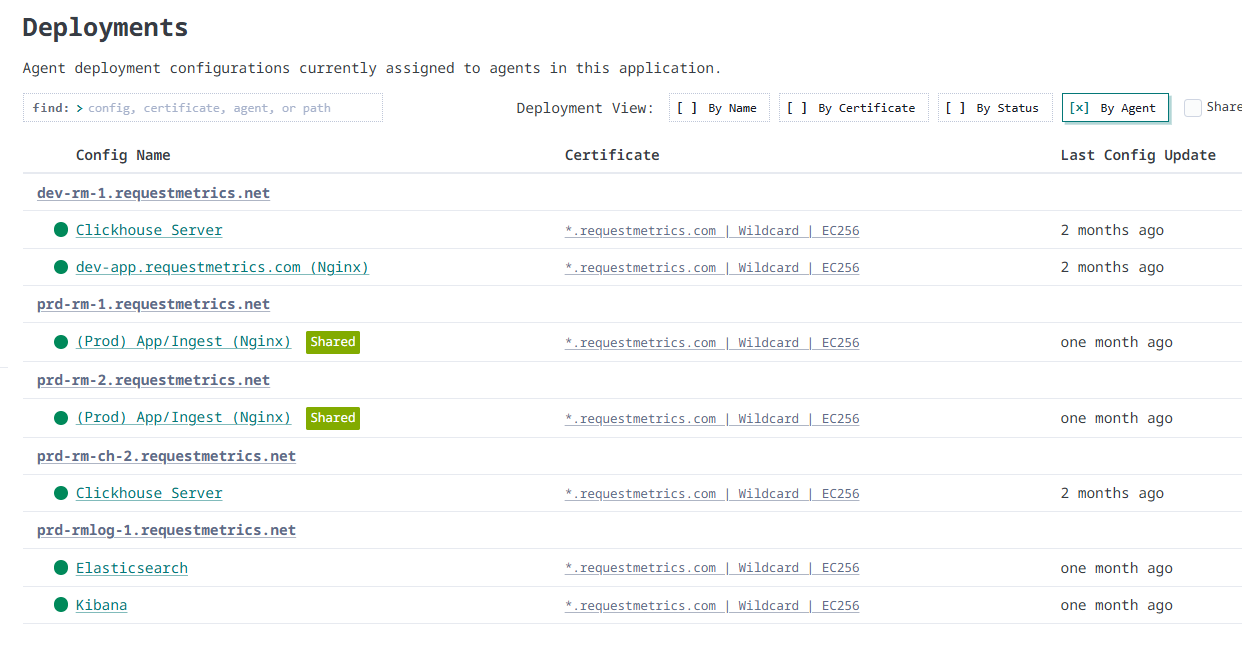
Deployments List
With dozens of agents and numerous deployment configs, we provide a single roll-up report of all deployments in a given certificate collection. Use the grouping options to audit deployments by certificate, agent, or status.