Abstract
Renewing a certificate is the easy part. Getting it onto the server is where automation breaks.
Somebody rotates the API token on the firewall. A service account password expires. A VM gets rebuilt and the agent never comes back. The certificate renews right on schedule, the deployment fails, and the server keeps serving the old certificate until it expires. Renewed and deployed are not the same thing.
Until now, a failed deployment showed up in the app and in Monday’s weekly summary, and a few days later in an SSL certificate expiration alert if you were monitoring the host. Over the last three weeks we shipped alerts that tell you the day it breaks.
Deployment failed alerts
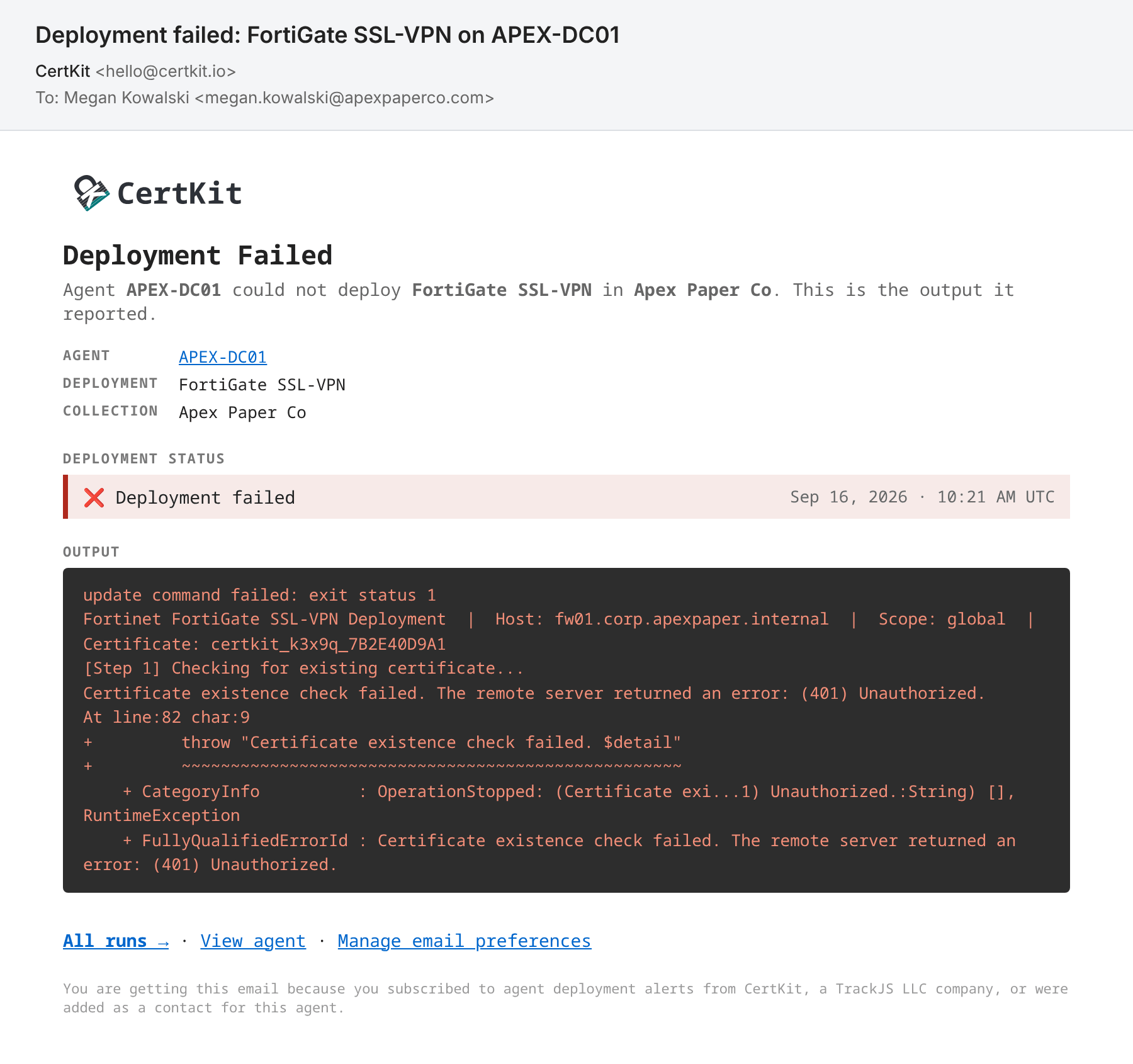
When an agent reports a failed deployment, CertKit emails everyone on that agent’s alert list. The email names the agent, the deployment, and the collection, and includes the output the deployment script reported. That output is usually the answer. Here the FortiGate rejected the API token, so the fix is a new token, not a support ticket.
Agent offline alerts
An agent that stops checking in can’t deploy anything. After 24 hours without a check-in, CertKit sends an “Agent offline” email with the machine name and what to check. If it’s still gone after 5 days, you get one more email, and that’s the last one. We assumed you retired the machine.
Pick the alerts you want
The email preferences on your profile now have five switches, for the weekly summary, monitoring alerts on expiring hosts, certificate renewal problems, new certificates issued, and agent alerts. Renewal problems used to share a switch with expiry warnings. Now you can hear about a stuck renewal without getting every expiry countdown, or the other way around. CT alerts keep their own two switches.
Everything is on by default. If you already use CertKit, agent alerts are on, and renewal problems start out matching your old expiry setting.
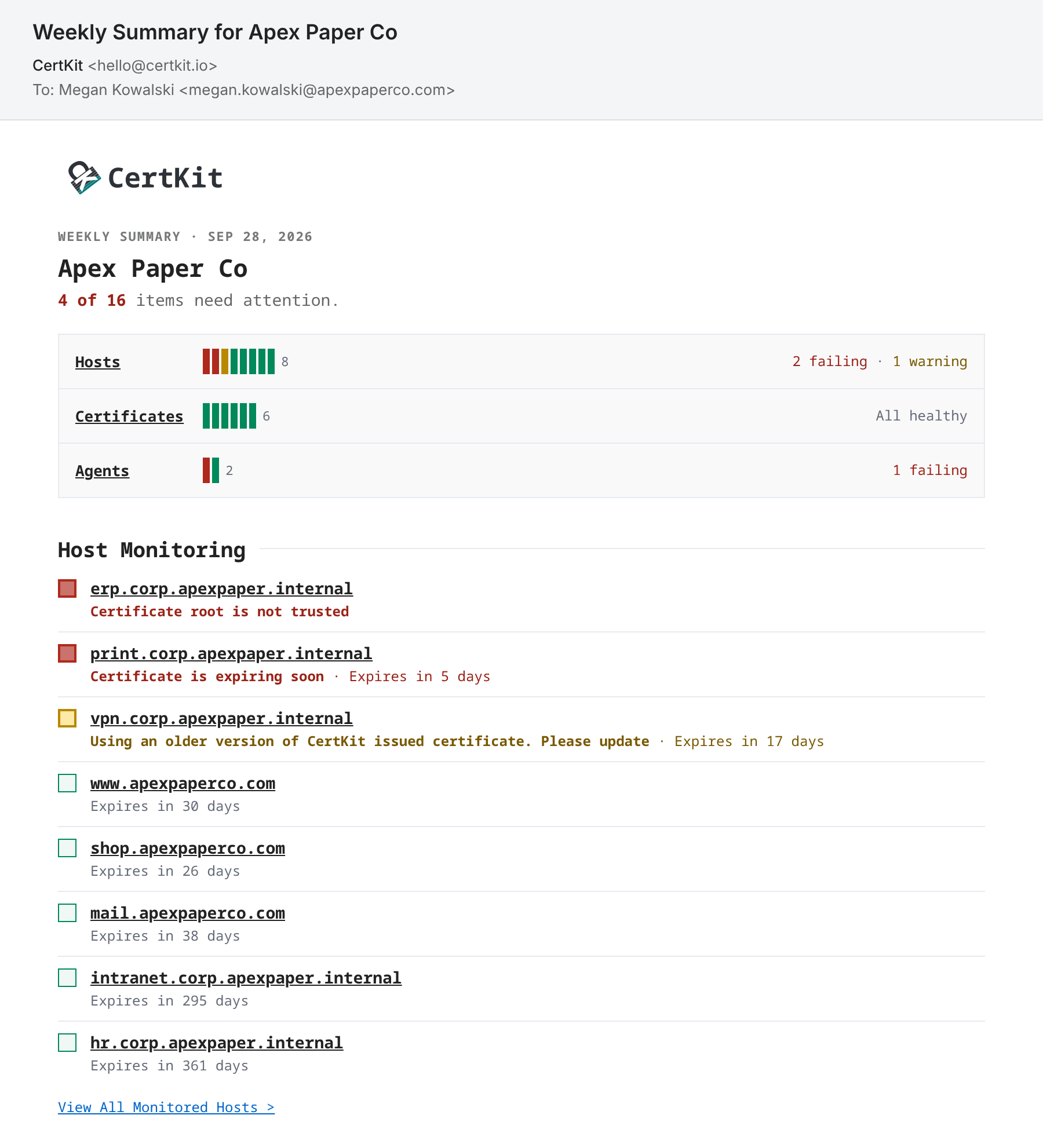
The Monday weekly summary got a redesign too. It opens with how many items need attention and puts problems at the top of each section, matching the new dashboard.
Alerts for people outside CertKit
Additional contacts used to work only on certificates. Now you can add them to agents and monitored hosts too. A contact is a name and an email address, with no CertKit login. Agent contacts get that agent’s deployment and offline alerts. Host contacts get expiry alerts for their hosts and nothing else.
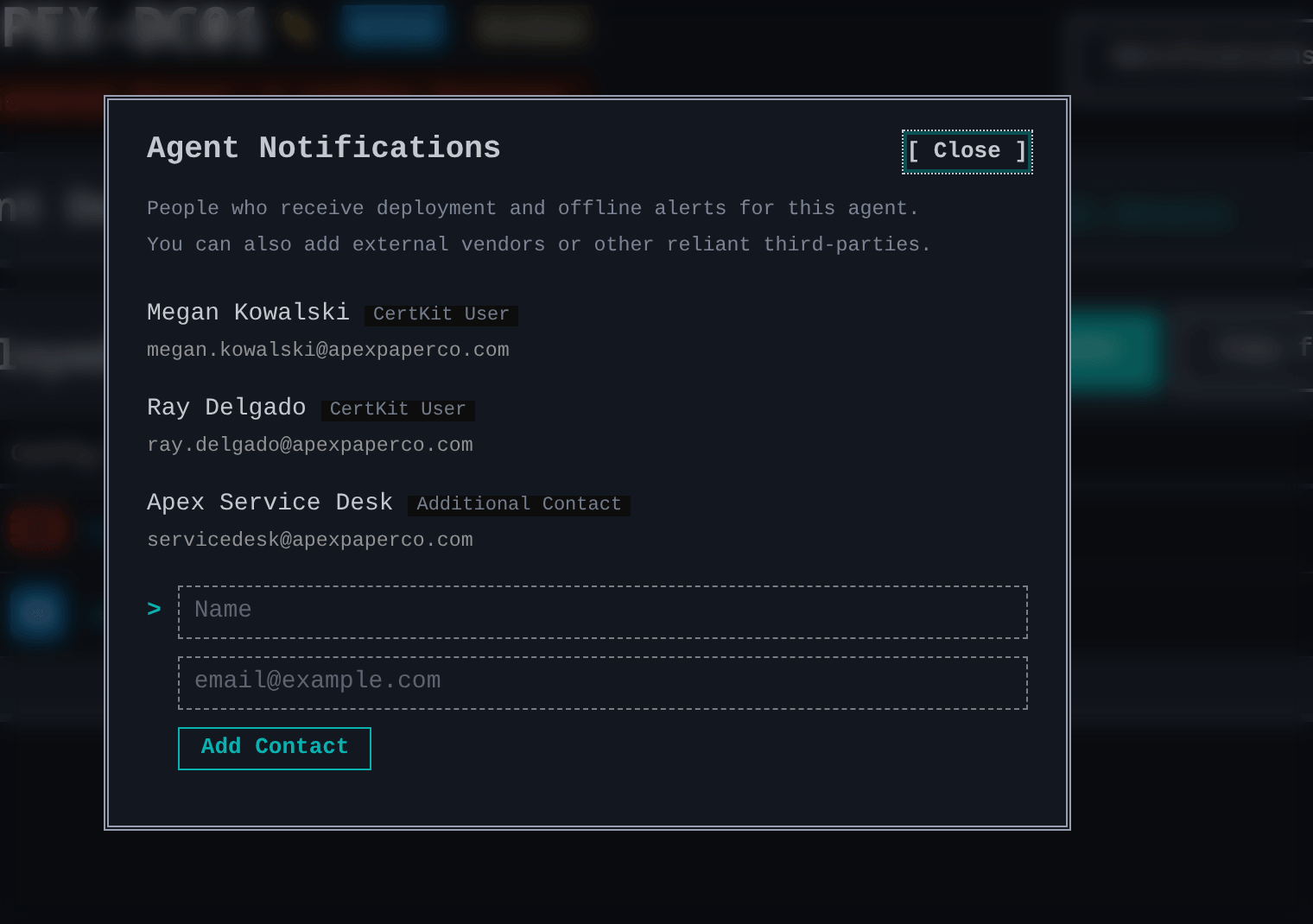
This is how you loop in the people who fix things but don’t need an account. That might be the integrator who runs your ERP, a client’s IT contact if you’re an MSP, or an address that opens a ticket in your service desk. Admins add and remove contacts from the Notifications button on any agent or host page, and the list also shows which CertKit users will get the alert.
Email is the only destination today. Other destinations are part of Advanced Alerting on the roadmap, so vote it up if you need them.
Update every agent at once
The new Agent Inventory page, under Account Settings, lists every agent in every collection on your account with its version, status, and when it last checked in. Account admins can click Update All Now to push the latest version to every outdated agent, and each one installs it on its next check-in. You could already do this one collection at a time. Now it’s one click for all of them, which matters once you have more than a few collections. Docker agents and agents older than 1.9.0 aren’t included and still update by hand.
Available now
All of this is live in every account today, on trials and paid plans. Turn alerts on or off from your profile, and add contacts from any agent or host page.
CertKit automates certificate lifecycle management and tells you the day a deployment fails, so a missed deployment gets fixed before it turns into an outage.