Abstract
Most customers start CertKit with SSL host monitoring.
On day one, you point CertKit at the systems you already run and get every certificate and when it expires. You start with confidence that you have everything under control.
Then, you automate, letting CertKit take over the certificates as they need to be renewed. Each renewal is the last time you ever have to worry about that certificate.
Because monitoring is one of the first things people see in CertKit, we’ve been working to make it worth looking at, and showing you more than just expiration.
A redesigned host page
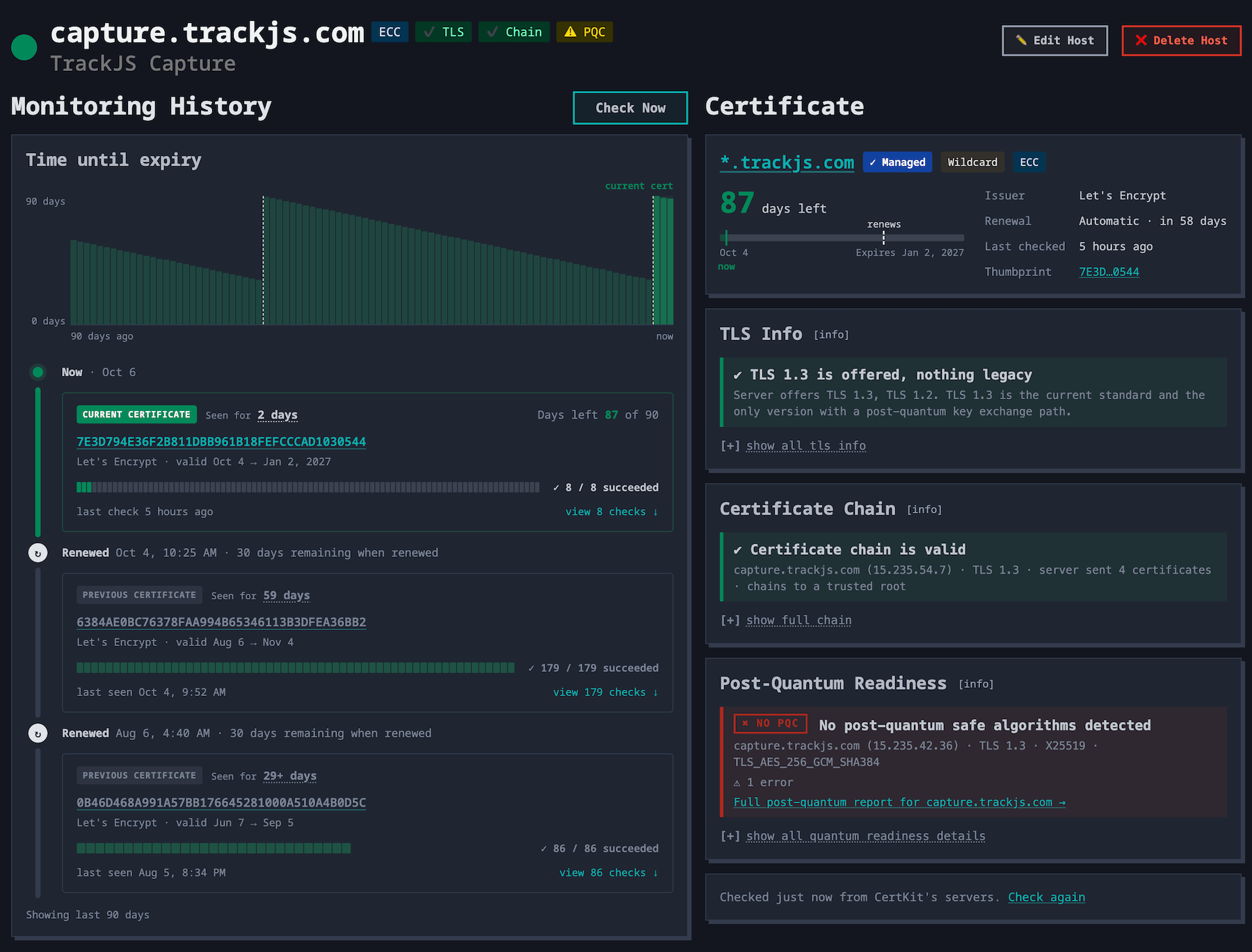
We redesigned the host page to show you everything about a host at a glance. Badges at the top show the certificate’s key type and how the host did on the chain, TLS, and post-quantum checks. Hover over any of them to see why. The same badges show up on the host list, so you can scan every host at once.
We also improved the timeline and log of host checks, highlighting any changes to the certificate. There’s also a ton of great stuff on the right side that we’ll break down next.
Certificate chain checks
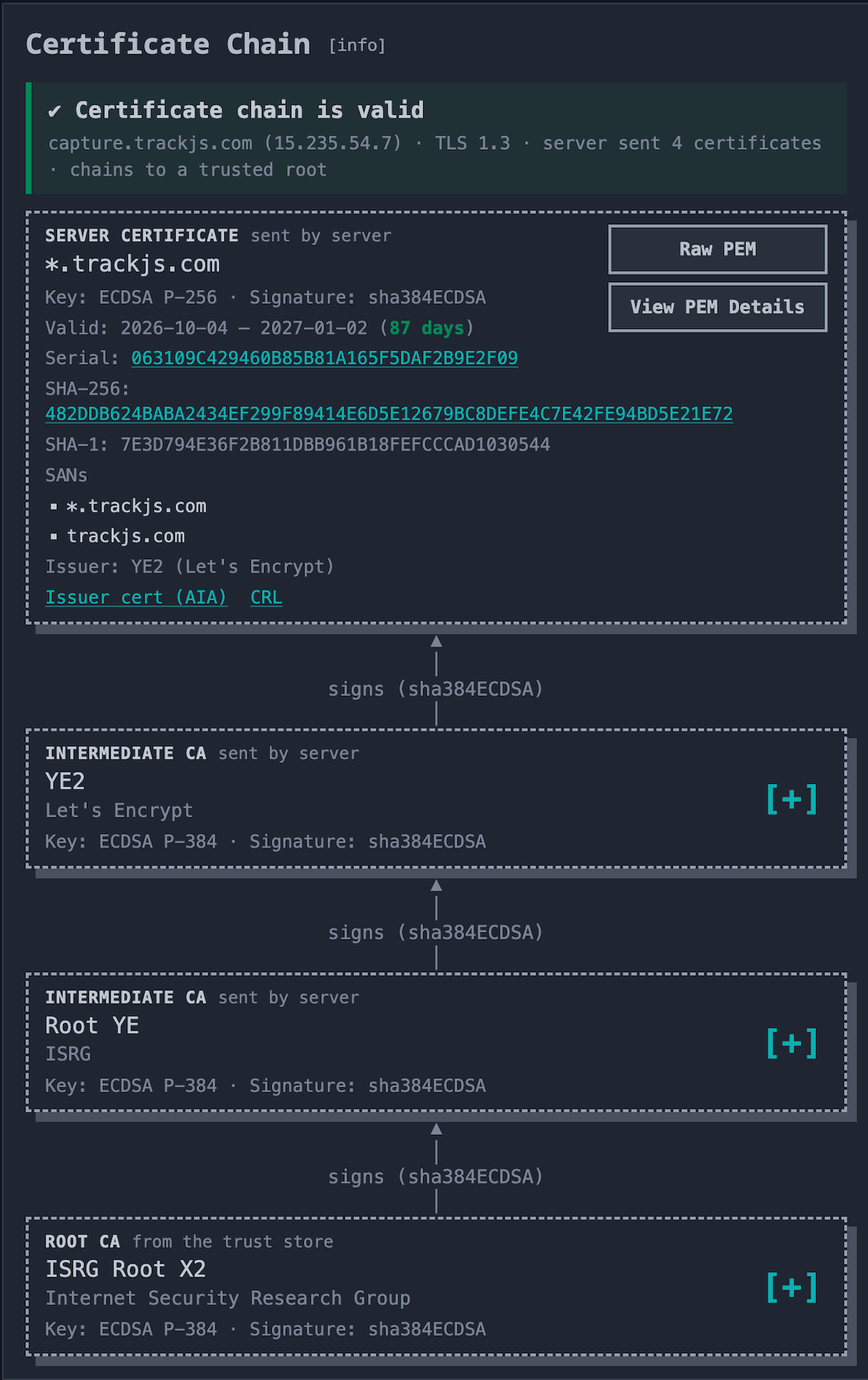
A valid certificate can still be wrong. The most common case is a server that doesn’t send its intermediate certificate. Chrome quietly downloads the missing piece, so the site looks fine in your browser. Then it fails in curl on Linux, Java, Android, and the embedded device that calls your API.
The Chain badge rebuilds the chain each host sends and checks that it is complete, in order, and trusted. It also catches untrusted and distrusted roots, self-signed certificates, hostname mismatches, and weak keys or signatures.
Free Chain Checker tool. We launched this as a free standalone tool as well. You can test your certificates without a CertKit account and get a feel for what it does with the SSL Certificate Chain Checker.
TLS version checks
We also started checking the TLS protocol versions your hosts negotiate. Green means TLS 1.3 with nothing legacy. Yellow means TLS 1.0 or 1.1 is still on, or TLS 1.3 isn’t. Red means the host only speaks versions that were deprecated in 2021. It also flags key exchanges without perfect forward secrecy, like the RSA key exchange the IETF banned in July.
This is the list your next audit asks for. PCI DSS 4.0.1 requirement 12.3.3 requires a yearly review of every protocol in use, and NIST SP 800-52 has required federal systems to support TLS 1.3 since 2024. A screenshot of the host list proves it.
Mail and FTP servers get the same checks. On ports 25, 587, 143, 110, and 21, CertKit negotiates STARTTLS first.
Post-quantum readiness
Everyone’s worried about the quantum computer that breaks the internet. Our new PQC check helps you know if you’re ready. We check whether each host negotiates a hybrid post-quantum key exchange (X25519MLKEM768) when a browser connects. That is the one post-quantum change worth making today, because it protects traffic recorded now from a quantum computer that may or may not ever show up.
Free Post-Quantum Checker tool. We launched this as a free tool as well. You can check your post-quantum readiness here, for free. Post-Quantum TLS checker.
Inside your network too
Last month, CertKit started monitoring internal hosts through the agents you already run. The agent checks from inside your network and judges trust against its own trust store, so private CA certificates and internal names work just like your public websites.
Chain, TLS, and PQC badges for internal hosts are coming soon.
Available now
All of this is live in every account today, on trials and paid plans. The SSL certificate monitoring page has the details and an interactive demo.
This finishes Post-quantum checking on the roadmap.
CertKit checks every certificate you run for expiry, trust, TLS, and post-quantum readiness, inside your network and out.