Abstract
We’ve got a boatload of features to show off this week. We knocked out some of the most common requests, user management, single-sign on, and my personal favorite: the weekly email summary.
User management and roles
You can now invite other users to your CertKit account. Administrators get full access. Regular Users get access to one or more application groups, so you can scope what each person can see and manage.
This pairs directly with the Applications feature we shipped in January. If you’ve organized your certificates into application groups already, you can now hand off management of specific groups to the right people without giving everyone the keys to everything.
Users also have a profile page where they can update their name and manage email preferences.
Plus, users can set up Multi-factor authentication with any TOTP authenticator app.
SAML single sign-on
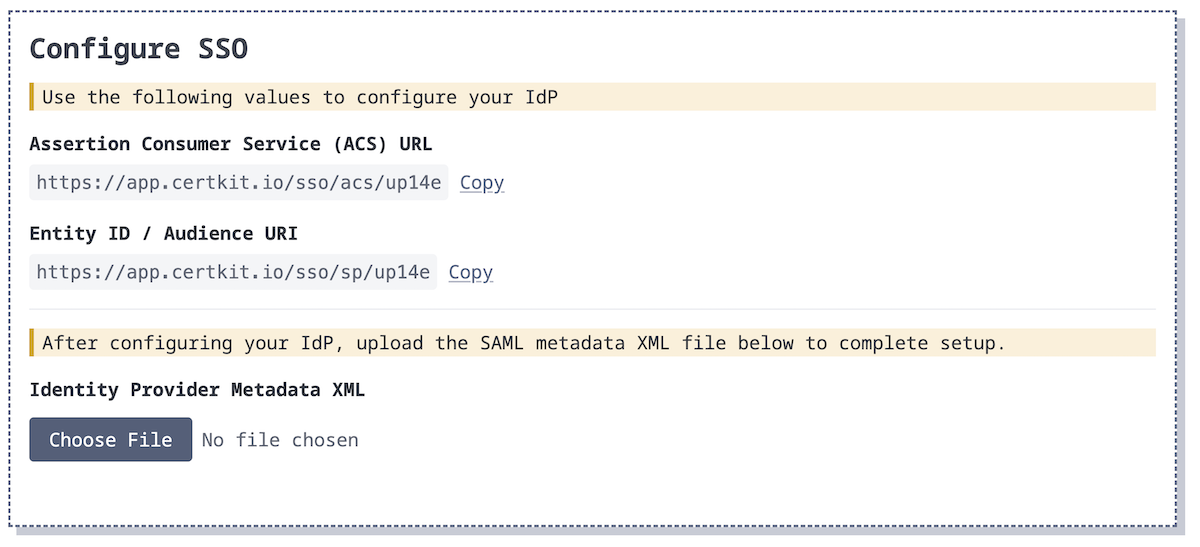
If your organization runs an identity provider, you can now connect it to CertKit. Upload the metadata XML from your IdP and we’ll handle the rest. Your users authenticate through your existing SSO and you manage access from one place.
Weekly email summary
Every week, CertKit will send you a digest of your full account status: certificates, domain monitors, and agents, all in one view.
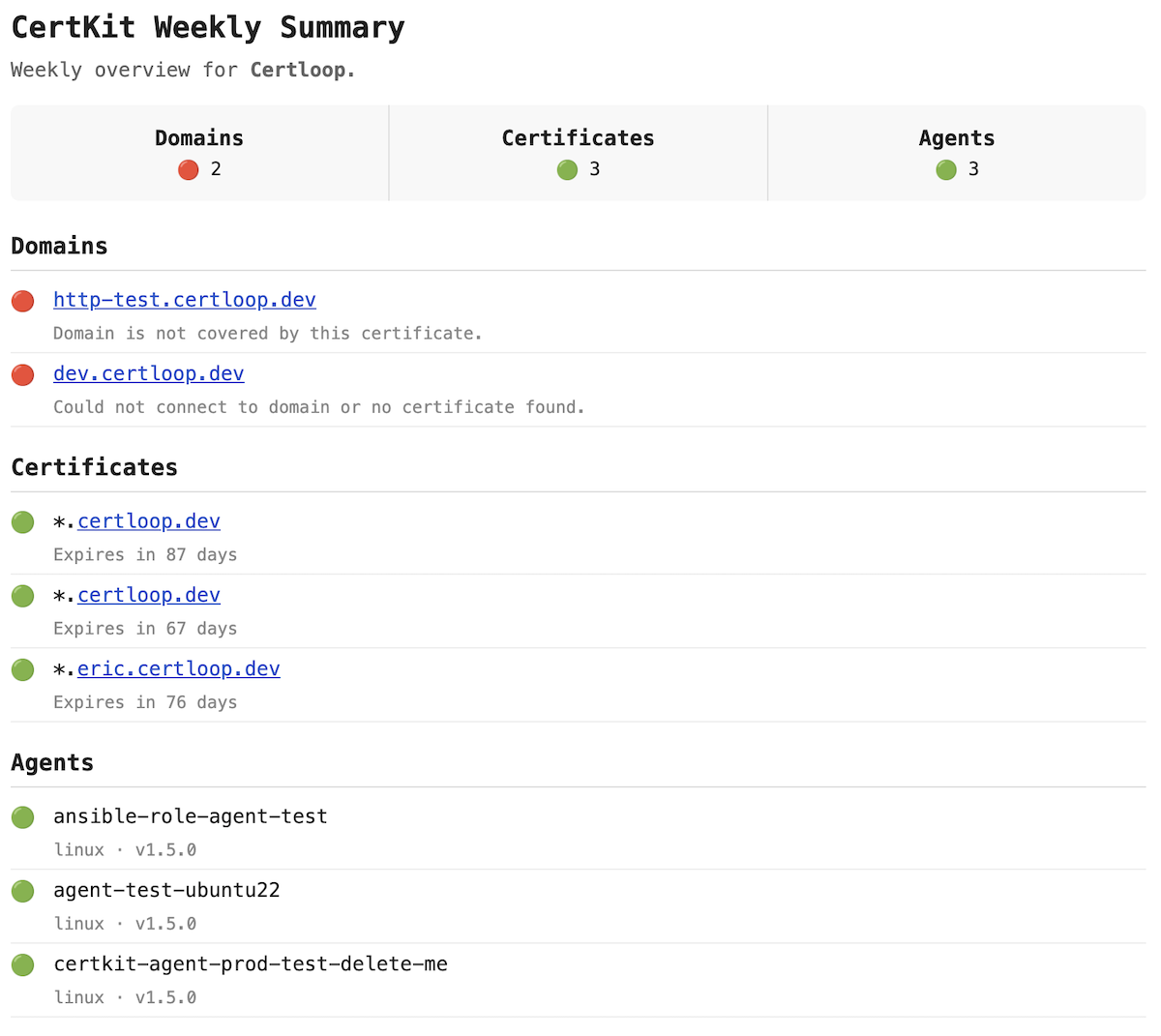
It’s the thing you’d build yourself if you had time. A quick look each week to make sure nothing is quietly heading toward expiration or already broken. Red means something needs attention. Green means you can move on.
All of these features are live now. You’ll find them in your account settings. Sign up for CertKit to try it free, or book a demo if you want a walkthrough.
CertKit automates certificate lifecycle management so you can stop worrying about who owns the renewal process.