Abstract
The old deployment flow expected a lot from you. You had to know what format your certificate needed to be in. You had to know where it should be stored on the target system. Then you had to review and customize a deployment script in a code editor before anything ran.
It turns out most of you don’t want to do that. And fair enough, staring at a script editor when you just want a certificate on your Exchange server is a little intimidating. You shouldn’t need to be a scripting expert to deploy a certificate correctly.
So we built an easy mode. It’s the default for all new deployments going forward.
The new flow
Pick your deployment template, give the configuration a name, select the certificate, and fill in any variables the template needs, like a hostname for an appliance. Save and deploy. Done.
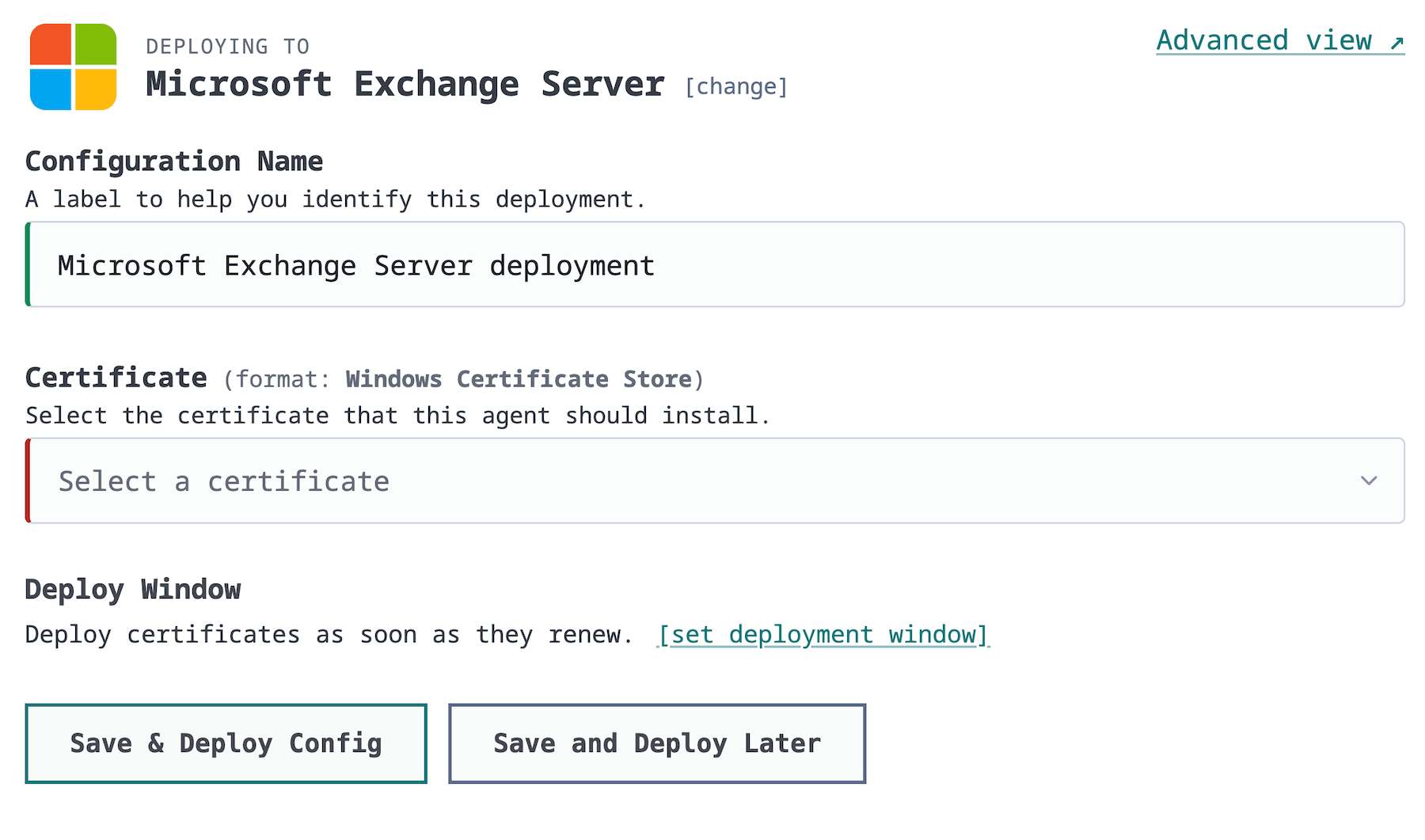
CertKit already knows what Exchange wants: the certificate format, where it gets installed, and what commands run to activate it. The template carries all of that knowledge so you don’t have to.
If you want the nitty-gritty details, they’re still there. The Advanced view toggle shows you the full deployment script, the certificate format, and everything else the old editor did. You can review it, customize it, and make it yours. Nothing was taken away. It’s just no longer the price of admission.
New integrations
This release also brings new built-in templates: auto-detected Microsoft Exchange, SQL Server, SQL Server Reporting Services (SSRS), and Citrix NetScaler. If CertKit finds Exchange running on a server, it will offer the deployment before you even ask. The full list of supported software is on the integrations page.
What’s next: private PKI
We’re starting work on our private PKI system. You’ll be able to create your own root certificates in CertKit, issue custom certificates from them, and deploy those certificates to your intranet. Same lifecycle automation, your own chain of trust.
If you want to try an early version, let us know. And the roadmap is public if you want to see what else is coming.
CertKit automates certificate deployment so you don’t have to be a scripting expert to get it right.