Abstract
When we shipped the CertKit Keystore in March, it required some admin work from you. Run it on a proper server. Encrypt your backups. Test them. The private keys were yours to protect, as plaintext keys on your disk.
Keystore 2.0 makes most of that admin work easier. It’s live now, available on Enterprise plans.
Copied key files are ciphertext
Every certificate and CA private key the keystore stores is now encrypted on disk with AES-256-GCM. The keystore host doesn’t even have the encryption key. CertKit does. The keystore fetches it at startup and only keeps it in memory.
That splits the secret between two places. Your server has the encrypted key files. CertKit has the encryption key, and for every key the keystore generates, we never see the file it would open. Someone who copies the certificates folder, or digs up an old backup of it, gets nothing they can read. The key files only open on the keystore registered to your CertKit account.
If you’re running version 1, the upgrade encrypts the keys already on disk the first time 2.0 starts.
One keystore for every collection
The first keystore served exactly one certificate collection. That was cumbersome for large accounts because they had to run dozens of different keystore instances. Now an account has just one keystore, and each collection opts in from its own Keystore page. Collections that don’t need it stay as they are.
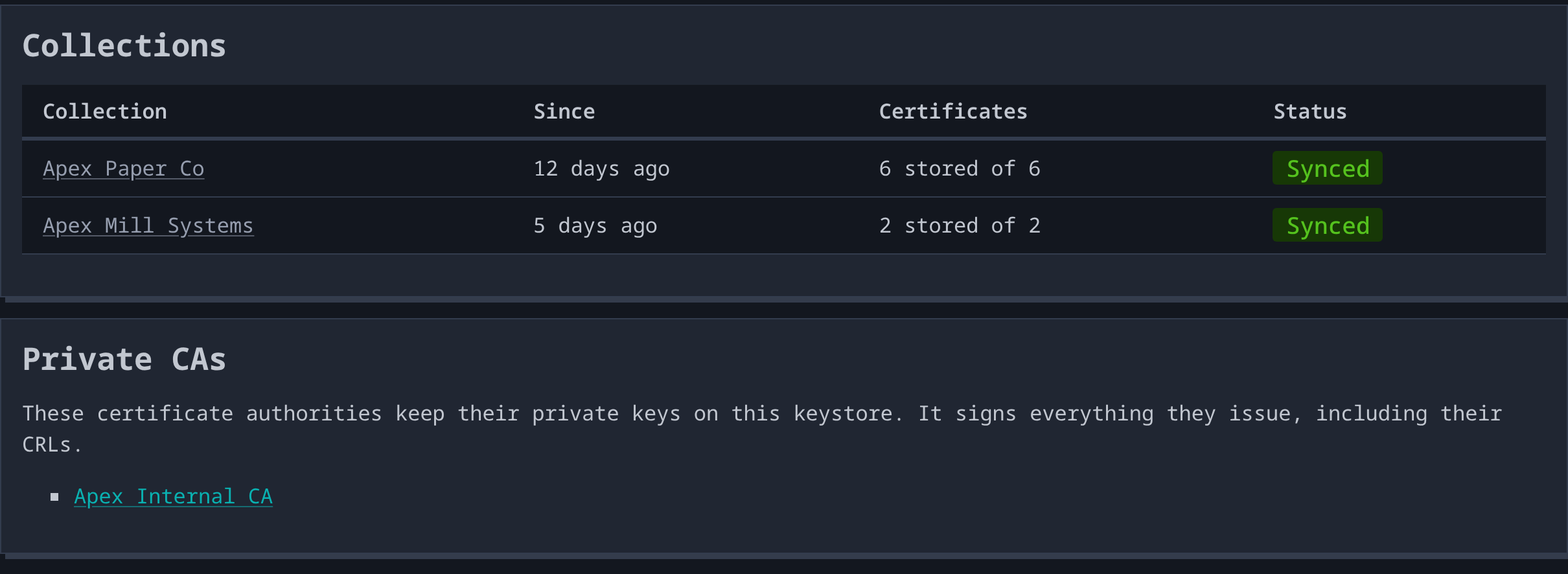
Opting in is one-way. Once the keystore generates a key, CertKit never has it, so there is nothing to move back. The app makes you type “i understand” before it lets you through, just to make really sure you want to do it.
The keystore can also hold the keys for a private CA. Pick that option when you create the CA, and the keystore generates the CA keys and signs every certificate and CRL the CA issues. CertKit keeps only the certificates. That puts your keystore on the hook for uptime, because CRLs last 7 days and the keystore renews them daily.
You can see what it’s doing
Version 1 answered its URL with a few lines of plain text, and that was the whole user interface. Debugging meant a shell on the box.
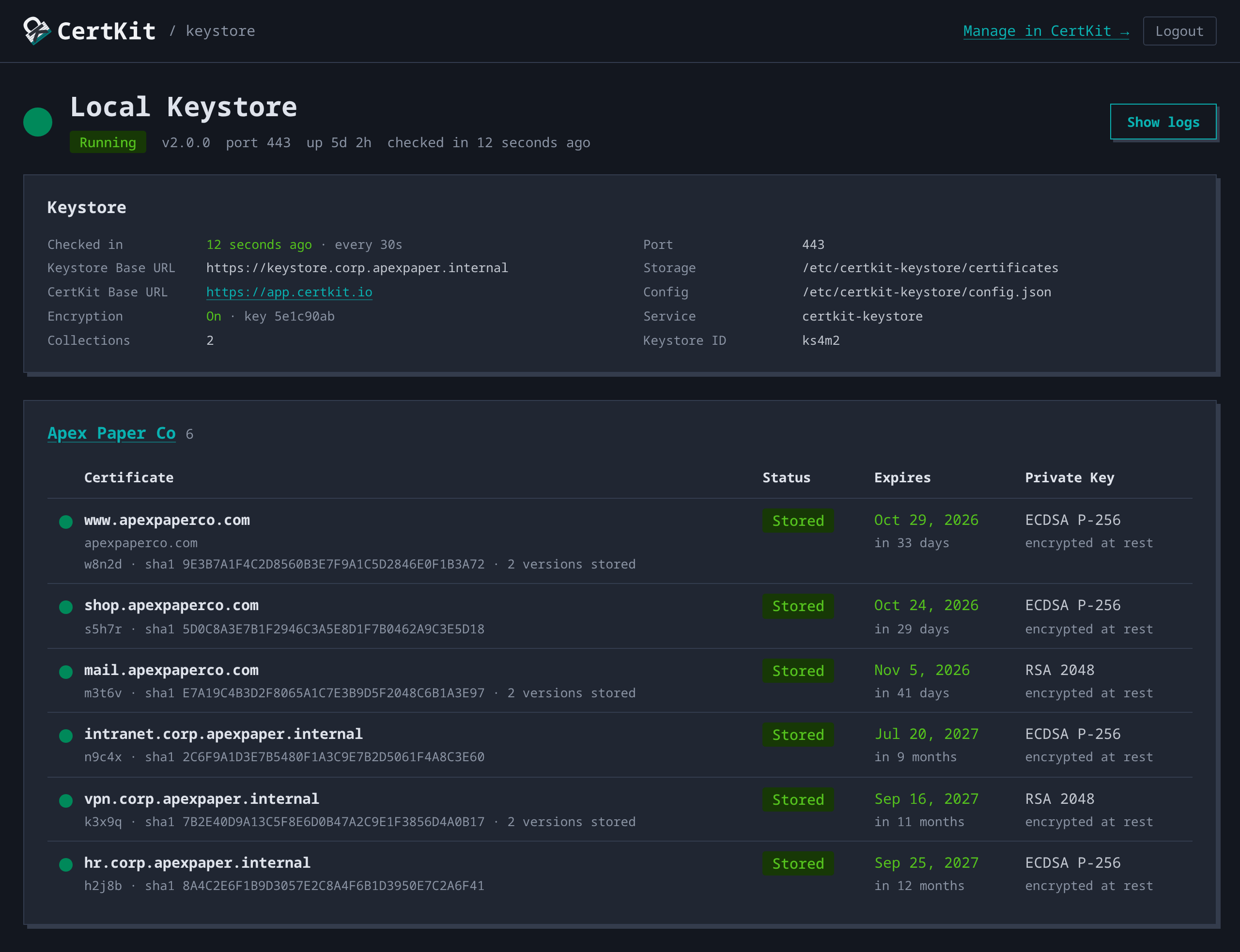
The keystore now serves a status page. It lists every certificate it holds by collection, when each one expires, whether its key is encrypted, and when the keystore last checked in with CertKit. The page sits behind your CertKit login, and only account administrators get in. A Show logs button puts the service log in your browser, which beats asking the one person with SSH access to paste it into a ticket.
Installs and updates got shorter too. Windows gets a signed MSI. New releases install from an Update Now button in Settings, and on Windows the keystore rejects any update that isn’t signed by the same publisher as the version it’s running.
To upgrade from version 1, re-run the install command on the keystore host. Your configuration and stored certificates carry over, and nothing has to be entered again. The Keystore documentation has the details, and the source is on GitHub. This also finishes the keystore work that was on our roadmap.
CertKit automates certificate lifecycle management, including where the private keys can’t leave the building.