Abstract
We release some good stuff this week with the CertKit agent version 1.8 from our roadmap, along with some small usability fixes in the CertKit web application.
Remote Desktop Protocol (RDP) and Remote Gateway
The agent now auto-detects Microsoft Remote Desktop Services, Terminal Services, and Remote Desktop Gateway running on Windows hosts for users that need real public certificates on your RDP connections. This has been a common request from Managed Service Providers (MSPs). When it finds them, you get one-click integration to assign a certificate directly to those services.
This follows the same pattern as RRAS support in 1.6. These are services that run quietly for years without anyone thinking about them, until the certificate expires and everyone who’s working from home suddenly can’t connect. The difference between annual renewals and 47-day certificates is the difference between “annoying but manageable” and “recurring operations problem.” Auto-detection means you set it up once and it just stays working.
Java Keystore format
The agent now supports JKS (Java Keystore) as a certificate format. Configure your keystore path, password, and entry alias, and the agent writes the JKS file directly.
If you’ve ever had to manage certificates for a legacy Java application, you know how this goes. The standard tooling is keytool, a command-line utility that ships with the JDK and has a syntax that somehow feels older than it is. Converting from PEM to JKS involves multiple steps, and if anything is off (wrong alias, wrong password format, wrong keystore type), the application just doesn’t start.
SolarWinds Web Help Desk is an early example that came up: it requires JKS format and has historically been the kind of thing that shows up as a line item in administrative runbooks. Configure the agent once with your keystore path, password, and alias, and it handles every renewal from there.
Windows Certificate Store
For lots of other things on Windows, the first step is getting the certificate into the Windows Certificate Store. The agent now has this as a destination target.
This matters because most Windows tooling doesn’t read PEM or PFX files from disk. It reads from the certificate store. Microsoft Exchange, ADCS, netstat bindings, and most PowerShell-based deployment scripts all assume the certificate already exists in LocalMachine\My. Before this release, you’d configure the agent to drop a PFX, then write a post-deploy script to import it into the store. That’s an extra step, an extra failure mode, and something you’d have to maintain forever.
Now you point the agent at certs://LocalMachine/My and it handles the import. The certificate is in the store and ready for whatever Windows integration needs it next.
When you use this target, you automatically get some pre-populated variables for your update command. $thumbprint inserts the certificate’s thumbprint (SHA-1 fingerprint) automatically. $certificate inserts the certificate’s object id. This is useful for Windows integrations that reference certificates by thumbprint, and it means you don’t have to hardcode a value that will change on every renewal.
Before this, the workaround was a wrapper script that pulled the thumbprint from the store after import and then ran the actual binding command. That’s fine, but it’s complexity you shouldn’t have to own. Most of the elaborate update commands we see in support tickets exist entirely because of this one gap.
A new confirmation modal
For expediency, we used to use a simple JavaScript confirm() dialog for confirmations. For accessibility (and professionalism) reasons, we upgraded this to a real modal. But, we wanted to stick with our simple, terminal vibe.
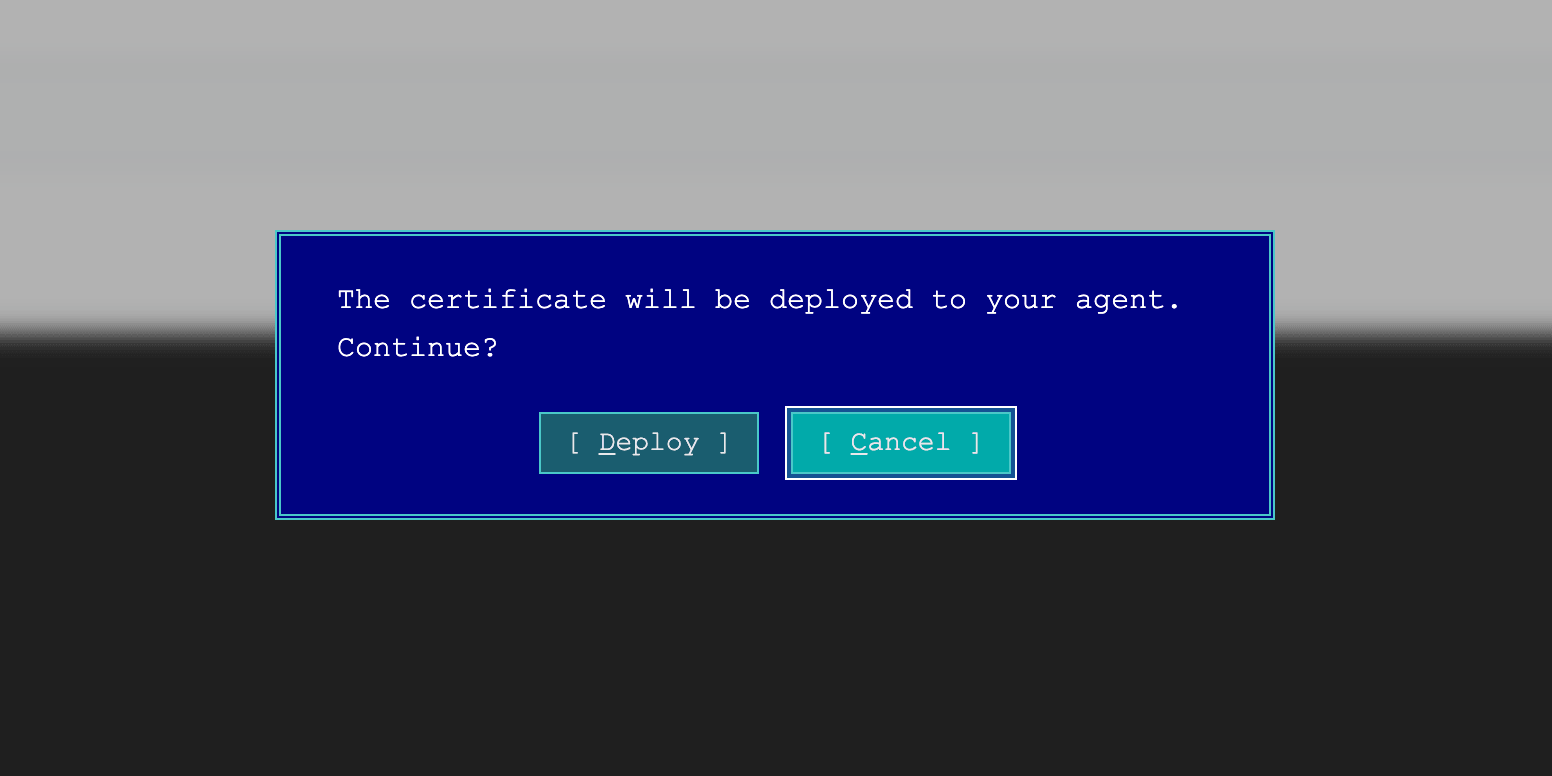
Yes, it is MS-DOS inspired. Yes, we shipped it on April Fools Day. No, it is not a joke. It is fully keyboard-compatible, which honestly made it more fun to build than a normal modal would have been.
Agent 1.8 is live now. Head to your CertKit dashboard to update your agents, or check the GitHub repo for the release notes.
CertKit automates certificate lifecycle management. See how the agent fits into the full picture.
Comments