Abstract
Getting a certificate from a CA is a solved problem (ACME). Distributing it to the rest of your infrastructure is not.
Your F5 has its own API. Your Palo Alto has a different one. Azure Key Vault is a third thing entirely, and the appliance in the back of the rack only has an SSH interface. Getting a certificate onto all of them means someone has written a script (or several), probably stored on a shared drive somewhere, definitely not encrypted, and documented just well enough that it won’t survive the next person rotation.
This week, we shipped remote deployment scripting to make getting certificates to these endpoints easy and obvious to set up.
How it works
When you set up a new deployment, a wizard walks you through the steps. Pick the certificate, then pick a template from the library.
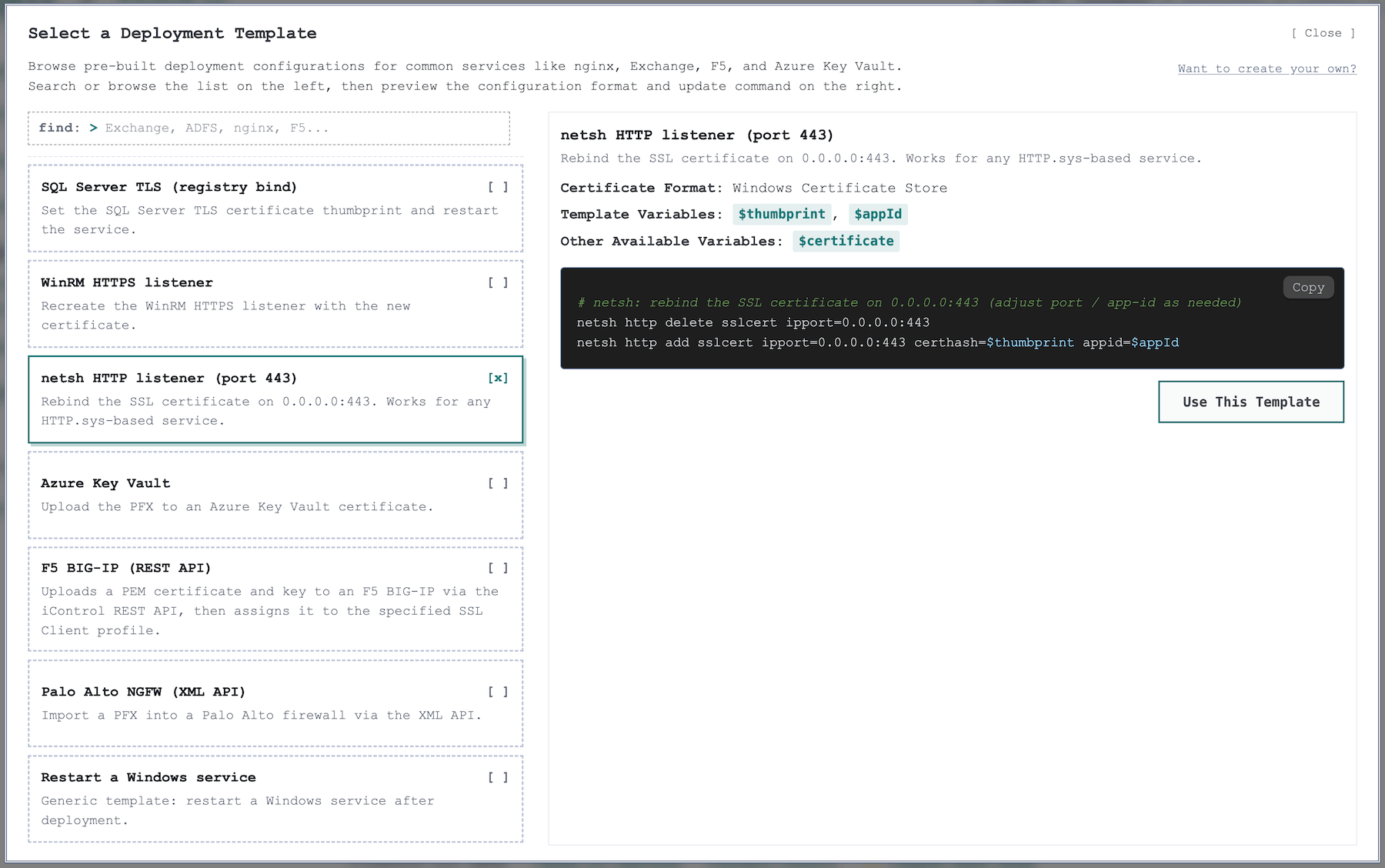
We’ve got templates for F5 LTM, Palo Alto, Azure Key Vault, Exchange, and more. If your target isn’t in the library, you start from a blank script in PowerShell or Bash, write the logic (or ask your AI to write it for you), define whatever variables you need. You can even create your own templates to stamp out deployments for your infrastructure.
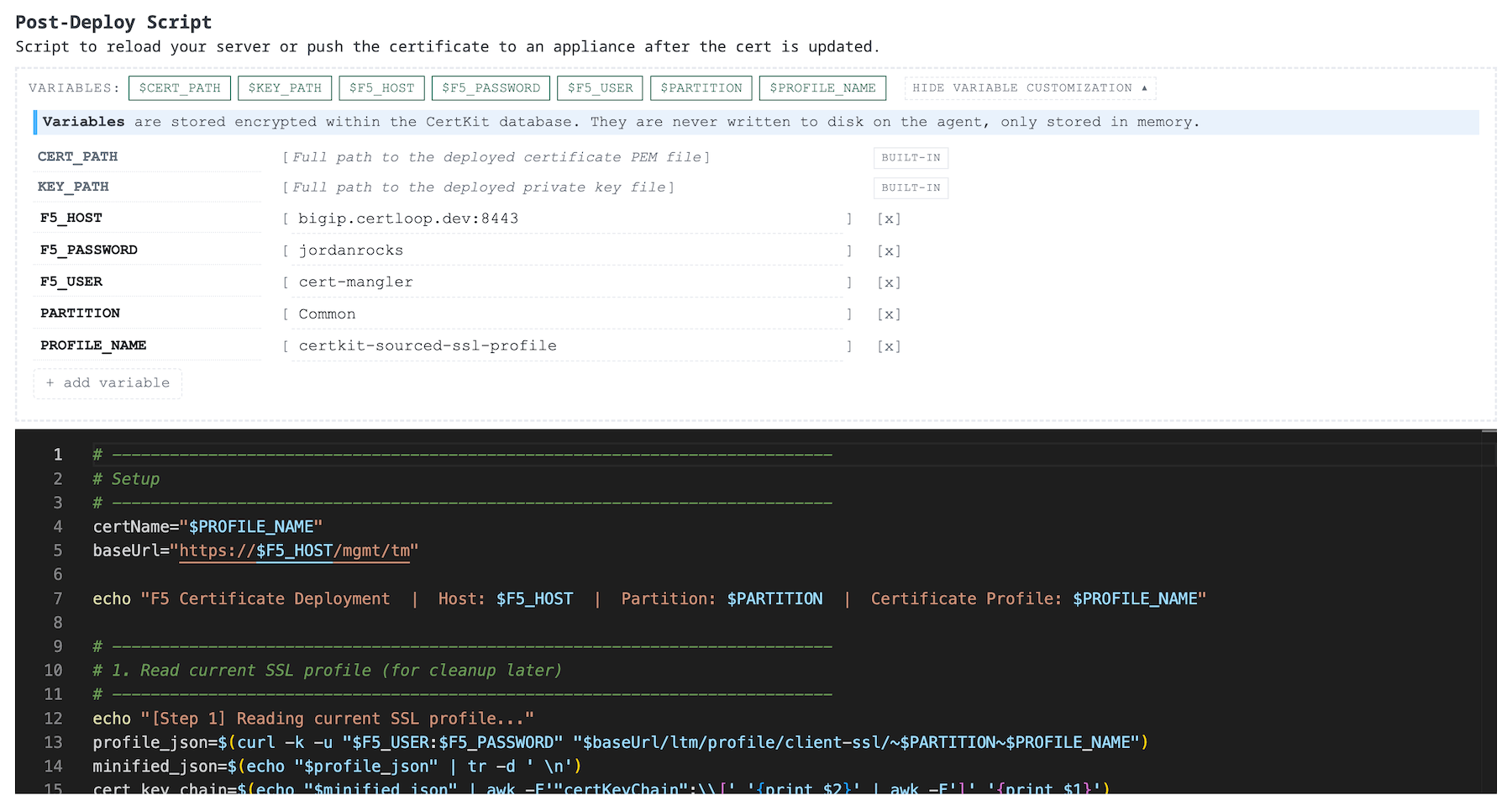
Variables get injected at runtime. Hostnames, API keys, passwords, whatever your script needs, you define once and store encrypted with the same key management we use for certificates. They never touch disk on the agent and never appear in command history. The script runs, the certificate moves, and the variables are gone.
This is the pattern we wanted from the start: your sensitive configuration lives in one place, encrypted, and your scripts are portable. If you add a new agent to cover the same appliance type, you’re not hunting through a shared drive for the script and hoping the passwords are still current.
See it in action with this short demo video.
Update all agents
Agent scripting is enabled starting in CertKit agent v1.10, and we made it a lot easier to get there. You can now “update all” agents to upgrade them remotely to the latest version. Easy peasy.
Head to your CertKit dashboard to set up your first deployment script, or check the roadmap for what’s coming next.
CertKit automates certificate lifecycle management so distributing certificates to your infrastructure is not your problem.