Abstract
Getting a certificate is the easy part. Getting it onto every server that needs it, in the right format, with the right permissions, and restarting the right services? That’s the part where things fall apart.
The CertKit Agent closes that gap, just released from our product roadmap.
Issue, deploy, verify
CertKit is built around the certificate automation loop: issue → deploy → verify. Most tools only handle issuance. They get the cert signed and drop a file somewhere. Deployment is your problem.
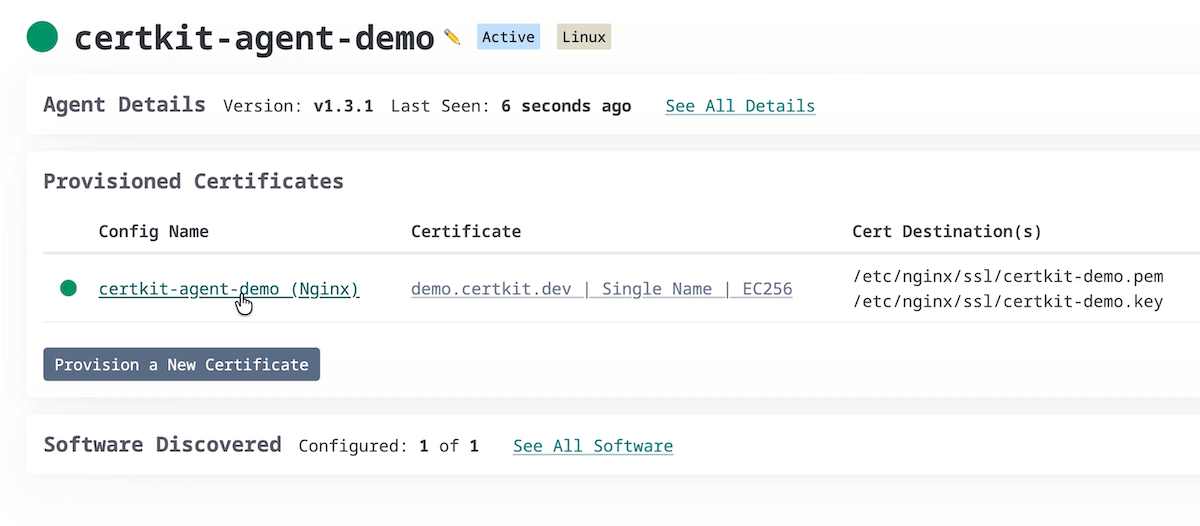
The agent is how CertKit solves deployment. Install the agent on a host, tell it which certificates that host needs, and it handles the rest. When a certificate is renewed, the agent downloads it, writes the files in the correct format, sets ownership and permissions, and runs the restart command for your software. Pair it with CertKit’s domain monitoring and you have the complete certificate automation.
Here’s how it works:
How it works
The agent runs as a background service on your host. On first launch, it registers with your CertKit account using a registration key. After that, it polls CertKit for certificate configurations you’ve assigned to it.
When a certificate changes, the agent writes the new files to the paths you configured, then executes your restart command. systemctl reload nginx, Restart-Service W3SVC, whatever your software needs.
It also auto-detects common web servers so you don’t have to configure paths manually. Right now it recognizes Nginx, Apache, HAProxy, LiteSpeed, and IIS, with more coming.
Install it in one line
Just copy the install snippet from the CertKit UI, which already has your registration key embedded. It looks something like this:
sudo env REGISTRATION_KEY="your.registration_key_here" \
  bash -c 'curl -fsSL https://app.certkit.io/agent/latest/install.sh | bash'
The service will start automatically, and you will see a pending agent for you to configure in the UI. Alternatively, you can deploy it with Ansible, set it up as a scheduled task or cron job, or interact with it via the command line.
Open source
The agent is MIT licensed and on GitHub. You can read the code, audit the security model, or contribute. We think the thing that manages your private keys should be something you can inspect.
Available now
The agent is live for all CertKit users. Head to your CertKit dashboard to generate a registration key and deploy your first agent.
If your web server isn’t auto-detected yet, open an issue or get in touch with us.
CertKit automates certificate lifecycle management so you can stop worrying about deployments. See how it all fits together.